Out now on Android · iOS in beta
Live telemetry, airspace, and traffic awareness
Log every flight, see the aircraft and airspace around you, and build the cockpit you want. Works with any paramotor, gas or electric, and pairs with your SP140 over Bluetooth.
Android is out of beta and free on Google Play. iOS is still in beta, so iPhone pilots sign up for an invite.
iOS beta signup
On an iPhone? Add your email and we’ll send you an invite.
Know what is in the air around you
The app pulls live airspace and traffic data onto your map, so you can see what is around you before you launch and while you fly.
- ADS-B in: real aircraft positions pulled into the app
- Spoken traffic alerts, so your eyes stay up and outside
- FAA airspace zones and class boundaries drawn on the map
- Live TFRs, updated continuously, with entry warnings
- Nearby traffic on your cockpit map with proximity alerts
- Preflight systems checklist to run before you launch
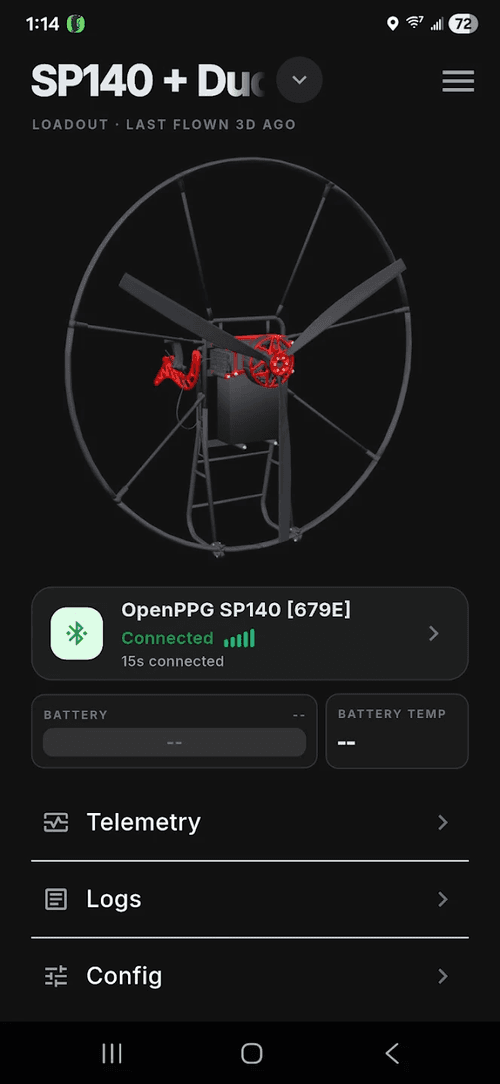
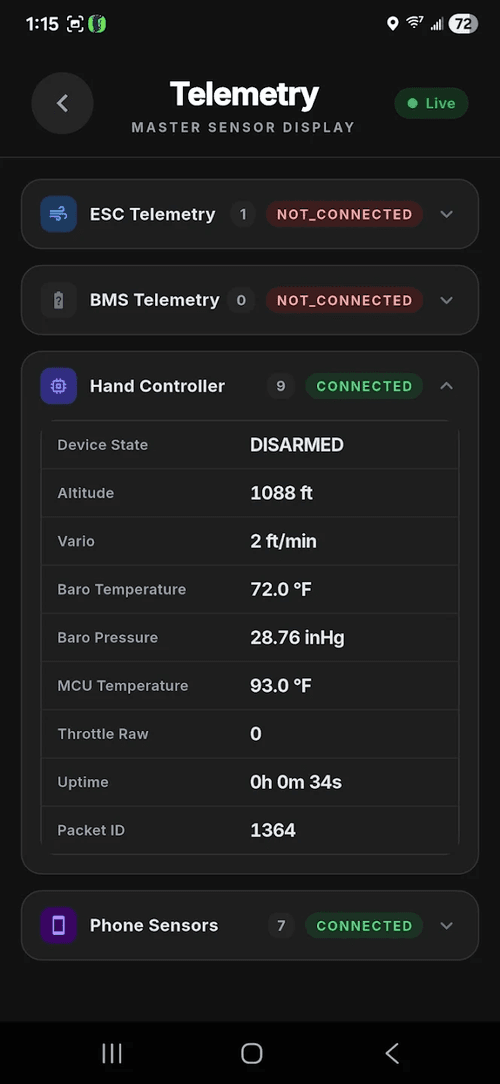
Connect over Bluetooth, see everything live
Pair the app with your SP140 over Bluetooth. You don't need an SP140 to use it, though. Any paramotor works, gas or electric. You get live telemetry from every sensor: battery, temps, speed, altitude, throttle, and vario, plus over the air controller updates right from the app.
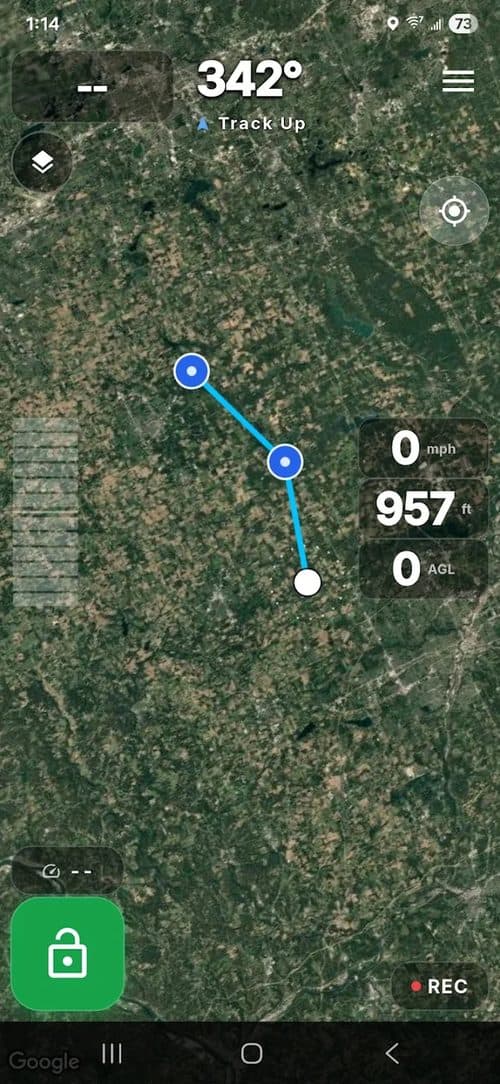
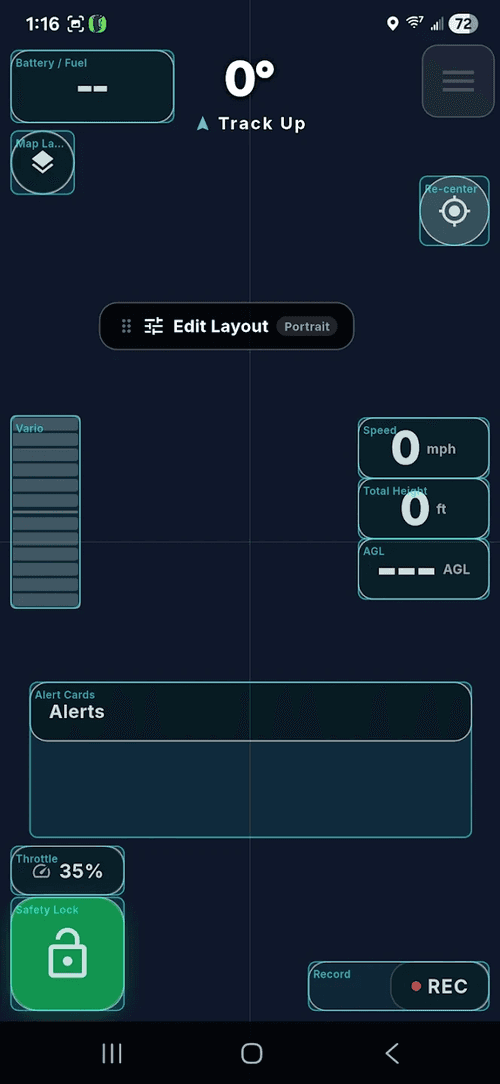
A moving map and a cockpit you build
Fly with a live moving map that records your track and waypoints and logs every flight automatically. Then arrange your own cockpit: the cards you want, where you want them.
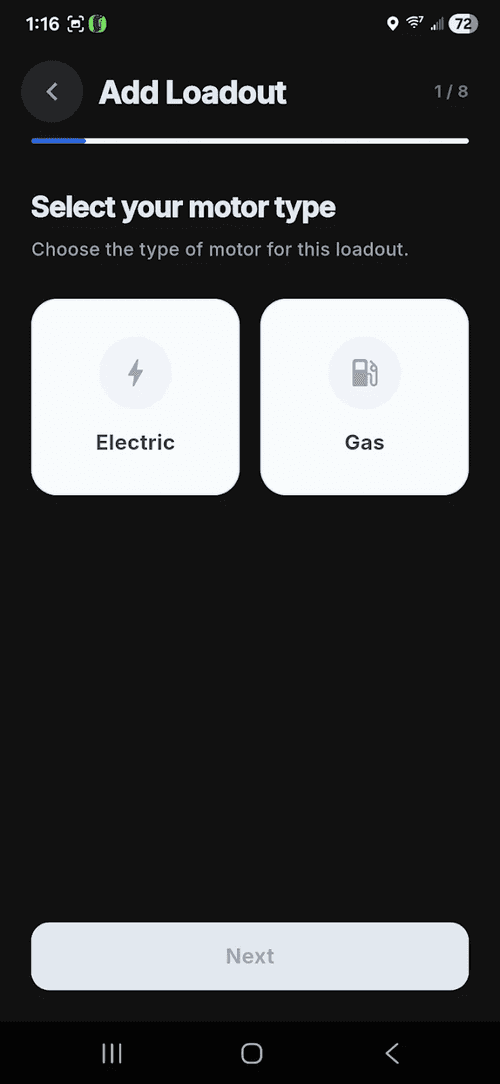
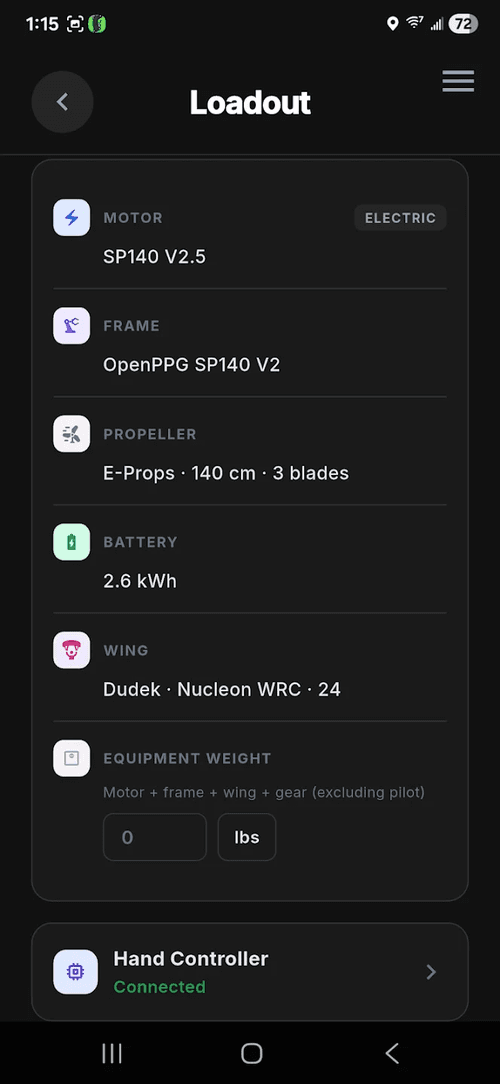
Configure loadouts and switch gear
Build loadouts step by step, then switch between them as you change equipment. Log flights on different gear and keep track of each setup over time.
See it in action
Watch the new app on a full flight test, plus a quick hands-on clip. Press play to watch on YouTube.


Get in the iOS beta
iPhone testers are flying it now, and their feedback is what shapes the iOS release.